
How to Track Conversations on X (Twitter): The Complete 2026 Guide
Learn how to track conversations on X (Twitter) in 2026: free native methods, advanced search tricks, and a relationship tracking system for creators and founders.

Key Takeaways
- X's free native tools (Notifications + Advanced Search) cover the majority of what paid monitoring platforms offer for individual users
- The
from:@you to:@themAdvanced Search operator lets you review your full conversation history with any account, no paid tool needed - A 20-person priority tracking system beats monitoring thousands of anonymous mentions for professional growth
- tendX (free Chrome extension) fills the gap X's native tools leave. It logs your engagement history per contact and flags when relationships go quiet. The spreadsheet method, automated
- X's biggest tracking blind spot: untagged mentions and conversations about you that never use your @ handle
According to Brand24's research, 91% of brand mentions on X don't include the @ tag, which means your notifications tab is only catching a fraction of what's actually happening.
Most guides on this topic exist to sell you something expensive. This one doesn't. If you're a founder fielding customer feedback, a creator building an audience, or a sales professional warming up leads, you need a way to track conversations on X that goes beyond waiting for someone to tag you.
We'll cover free native methods, advanced search operators that replace paid tools, and a relationship tracking system for people who use X to build real connections, not just monitor brand sentiment. Most of the third-party tools people relied on died when X killed free API access, so the playbook looks different now. Everything here works whether you still call it Twitter or not.
Why most X conversation tracking guides get it wrong
Most guides are written by companies trying to sell you something. Brand24's guide funnels you toward their platform by paragraph three. TweetDelete does the same. Even Twilert, which is more thorough, is still a product page disguised as advice.
The assumption baked into all of them: you're a brand manager with a budget for social listening X tools, and your goal is sentiment analysis at scale.
That's a real use case. It's not the only one.
If you're a creator tracking conversations with potential collaborators, a founder engaging with early users, or someone in sales building relationships in public, you don't need a $199/month Sprout Social dashboard. You need a system for tracking the specific conversations that actually move the needle. This guide builds that system.
How to track X mentions for free (no paid tools required)
The answer is simpler than most guides make it sound. X's built-in tools handle direct @mentions, keyword searches, and real-time alerts. Pair them with a few free options and you get most of what the $50/month monitoring tools offer.
The notifications tab (what it catches and what it misses)
Open X, tap the bell icon, filter by "Mentions," and you'll see every post that explicitly tags your handle. Simple enough.
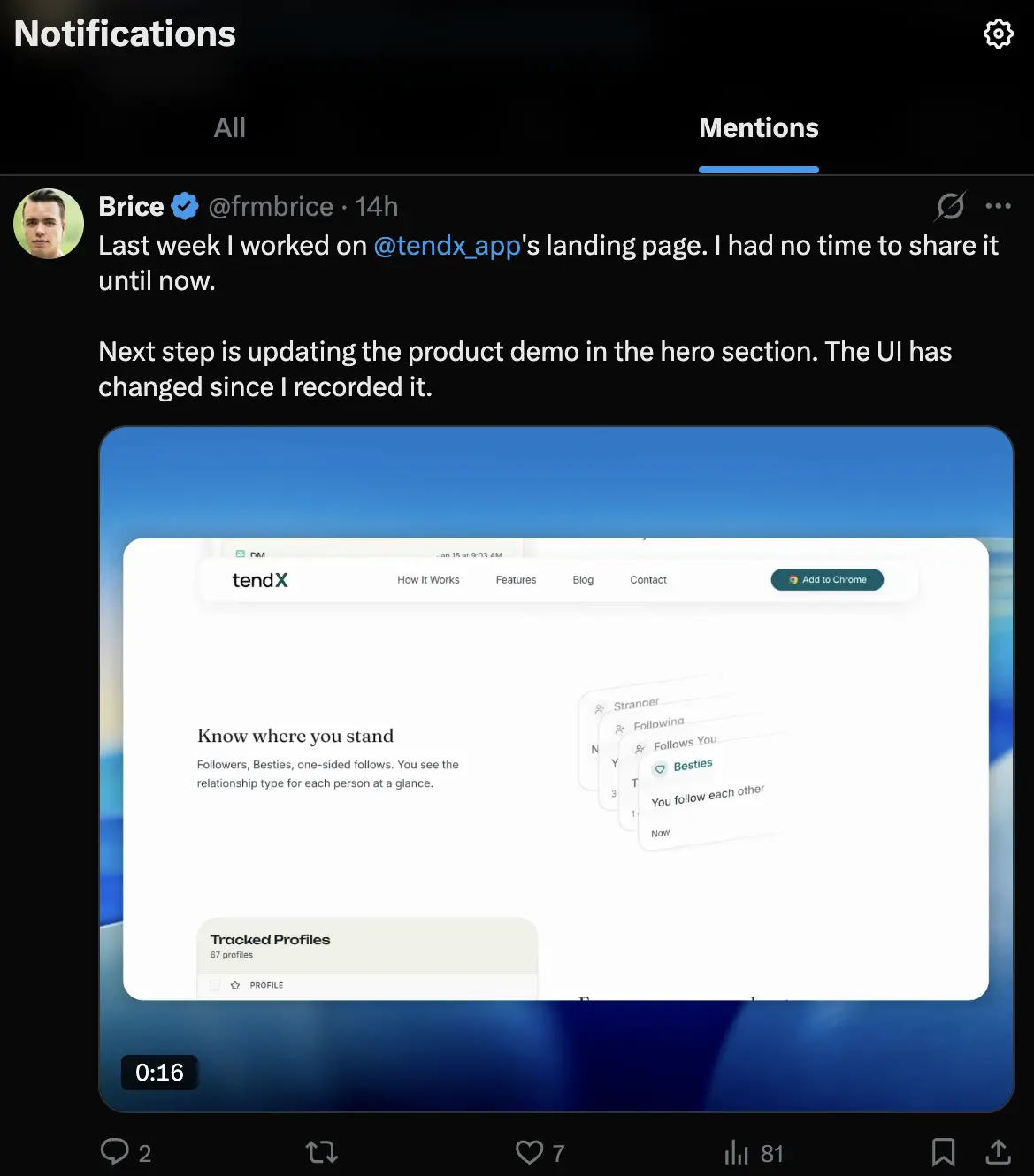
Here's what breaks: X only notifies you when someone uses your exact @handle. "Just tried tendX and it's solid" without the tag? You never see it. Someone quotes your post but forgets to tag you? Same thing.
For creators and brands, the gap is huge. Brand24 found that 91% of brand mentions skip the @ tag entirely.
Takeaway: Use Notifications as your baseline, not your whole system. Check it daily, but pair it with the methods below.
Using Grok to surface conversations about you
Grok is actually useful for this. Open the sidebar and ask: "What are people saying about [your brand] on X this week?" It'll pull conversations that never tagged you, which is the whole gap we're trying to fill.
The catch: you get summaries, not a permanent log. One-time snapshots, not a record you can reference later. Fine for spotting new conversations, not for tracking ongoing relationships.
How to use X Advanced Search to track any conversation
Here's the thing nobody knows about: X Advanced Search is actually powerful. You can find every conversation you've ever had with someone, filtered by date, using just three operators: from:, to:, and filter:replies. No paid tool necessary.
Go to x.com/search-advanced or click "Advanced Search" from any search results page.
The 5 search operators that replace a paid tool
This is basically what you're paying for when you buy a $50/month monitoring tool:
| Operator | What It Does | Example | Use Case |
|---|---|---|---|
from:@username | Posts FROM a specific account | from:@elonmusk | See everything someone has posted |
to:@username | Posts directed TO an account | to:@yourusername | Find all replies sent to you |
from:@you to:@them | Conversation between two accounts | from:@brice to:@naval | Review your full conversation history with someone |
filter:replies | Only shows replies | from:@yourusername filter:replies | See all your outgoing replies |
"exact phrase" | Matches exact phrase | "tendX" OR "tend X" | Track untagged mentions by keyword |
The from:@you to:@them combination is the one most people don't know about. It's how you use X Advanced Search to track conversations with a specific person: a VC who just followed you, a potential customer who replied to your thread last month. Full picture, free.
How to save and repeat your searches
X doesn't have a native "saved search" feature anymore. But the search parameters are encoded in the URL. Bookmark your Advanced Search results and you've got one-click access to any recurring query.
Try bookmarking to:@yourusername -from:@yourusername to pull up everything people have sent your way. Run it weekly as part of the review system below.
How to set up X Pro (TweetDeck) for real-time tracking
If you're already paying for X Premium ($8/month), X Pro (TweetDeck) is the best real-time conversation tracker on the platform. It turns your dashboard into a live monitoring hub with customizable columns (Source: X Help Center).
Creating your first monitoring columns
Three columns to start with:
- Mentions column: tracks every @mention of your username in real time
- Keyword column: tracks your name, brand name, or product name without the @ tag (catches untagged mentions)
- List column: tracks posts from a private X List of your top 20 key contacts
The keyword column is the real value-add. It catches the conversations your Notifications tab misses, the ones where people talk about you without tagging you.
Filtering out the noise
Raw X monitoring gets noisy fast. Filter columns by engagement thresholds, language, and media type. For a keyword column, set a minimum engagement filter (even just 1 like) to cut out spam and dead-end posts.
You can also exclude specific accounts or phrases. If your brand name overlaps with a common word, exclusion filters keep your columns clean.
How to track who's replying to you (and what you're missing)
Notifications alone won't cut it for tracking replies. They catch direct @mentions but miss untagged references, quote posts without your handle, and conversations about you that don't include your username.
What falls through the cracks:
- Untagged mentions: someone writes "just read Brice's thread on engagement rates," no @ tag, no notification
- Quote posts without tags: someone quotes your tweet and adds their take. If they don't @mention you, you never see it
- Reply threads you're not in: a conversation spawns from your post but moves between other people. You're not notified after the first level
- Deleted tags: someone tags you, then edits the post to remove your handle
The fix: combine Notifications with a weekly to:@yourusername Advanced Search query and a keyword search for your name or brand. That three-layer approach catches most of the relevant conversations you'd otherwise miss.
What X's free tools miss (and the free tool that fills the gap)
X's built-in tracking has a real ceiling. Notifications catch direct @mentions but miss untagged references. Advanced Search shows individual posts but not patterns over time. You can find a conversation, but you can't see when it's gone cold. TweetDeck surfaces real-time mentions but doesn't log them.
The gap is specific: X tells you what people said. It doesn't tell you who you've been neglecting, which relationships are fading, or when you last engaged with someone who matters to your work.
tendX is a free Chrome extension that fills this gap. It tracks who you engage with, logs your history per person, and alerts you when someone drops off. No spreadsheet, no paid tier. Your data syncs to Google Sheets.
The relationship tracking system: monitor the 20 people who matter most
Most guides stop at brand monitoring. But here's the thing: if you're actually building something, the conversations that matter aren't random mentions. They're with specific people. This is a different system entirely.
15 minutes to set up. 10 minutes a week to run it.
Step 1: build your priority contact list
Open X and create a private List. Call it "Priority 20" or "Key Contacts." Add the 15-25 people whose relationships directly impact your goals: potential customers, collaborators, investors, mentors, peers in your space.
Private Lists don't notify anyone that they've been added. You can be strategic without being awkward.
If you're a founder, add the people who've replied to your posts, DM'd questions, or shared your content. If you're in sales, add prospects who are active on X.
Step 2: set up notification alerts for key accounts
For your top 5-10 contacts, turn on the notification bell on their profile. You'll get a push notification every time they post, which means you never miss a window to engage.
This is selective, not blanket. You don't need alerts for all 20. Pick the ones where a timely reply creates the most value. The rest you'll catch in your weekly review.
Step 3: weekly conversation review using Advanced Search
Every week, run this search for each contact:
from:@yourusername to:@theirhandle
You'll see your full conversation history with them. When did you last engage? Has it gone quiet? Any unanswered messages?
Then run the reverse: from:@theirhandle to:@yourusername. See what they've sent your way that you might have missed.
Two to three minutes per person. For 20 people, that's under 45 minutes per week, and it's the most valuable engagement time you'll spend on X. Just keep an eye on X's rate limits if you're doing a lot of searching and engaging in one session.
The timing of your engagement matters too. If you're not sure when your key contacts are most active, check out our guide on the best time to post on X to optimize your reply windows. For a deeper look at your overall engagement metrics, see our X Analytics guide.
The spreadsheet method vs. Twitter CRM tools
The manual version: a simple spreadsheet with Name, Last Contacted, Notes, Next Action. Update it during your weekly review.
It works. But it doesn't scale past 20-30 people, and it requires discipline to keep current.
tendX is a free Chrome extension that automates this. It tracks who you interact with on X, logs your engagement history, flags when relationships go quiet, and syncs to Google Sheets. The spreadsheet method, but you don't have to update it manually.
What X's native tools can't track (honest limitations)
X's built-in tools have real gaps. Knowing what they can't do saves you from wasting time and helps you decide whether a paid tool is actually worth it.
- No untagged mention alerts. X has no native way to alert you when someone mentions your name without the @ handle. You have to search manually or use a third-party tool.
- No historical conversation threading. Advanced Search shows individual posts, not threaded conversations. You can find the posts, but reconstructing a multi-reply thread takes manual work.
- No sentiment analysis. X doesn't tell you whether mentions are positive, negative, or neutral. If you need sentiment data at scale, that's where paid social listening X platforms like Brand24 earn their fees.
- No cross-platform tracking. Someone mentions your X content on LinkedIn, Reddit, or a blog? X doesn't see it. Google Alerts partially fills this gap, but not in real time.
- 28-day default analytics window. X's native analytics dashboard defaults to 28 days of data. CSV exports extend further, but there's no long-term visual dashboard. For tracking engagement on X over time, you'll need to export regularly or use an external tool.
- Limited API access. Since X ended free API access for third-party developers, many monitoring tools have reduced their free tiers or shut down. The free tool landscape in 2026 is thinner than it was in 2023.
None of these are dealbreakers. They mean you should be realistic about what free methods cover and build habits, like the weekly review above, to fill the gaps.
Start tracking the conversations that matter
Three things to do in the next 10 minutes:
- Run an Advanced Search for
to:@yourusernamefiltered to the last 7 days. See what you've been missing. - Create a private X List with your top 20 contacts. Turn on notification bells for your top 5.
- Install tendX to automate the relationship tracking part. It logs your engagement history per person and flags when someone goes quiet.
If you've been relying on your Notifications tab alone, the methods above will show you how much falls through the cracks. The expensive monitoring tools have their place, but for most people, free methods plus a weekly review habit gets you there.